


Harmonica Real
4.9167.00 Reviews
App Specs
- Version
- 2.1
- Updated On
- License
- Free
- Downloads
- 100,000+
- Developer
- sonOS
- Categories
- Music
- Platform
- Android
Screenshots
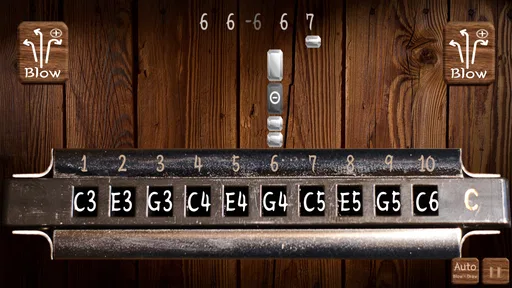
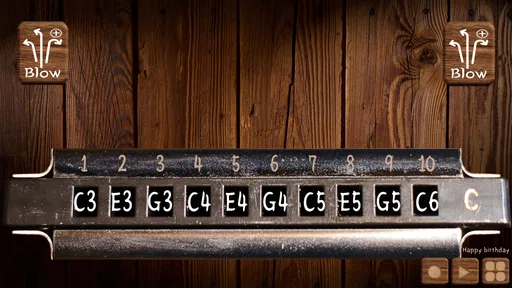
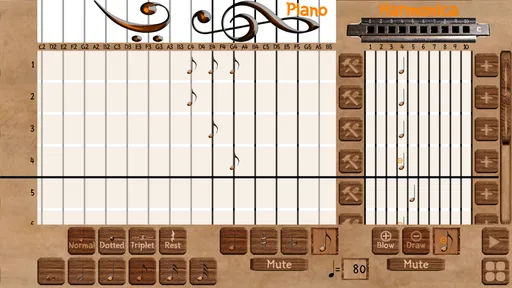
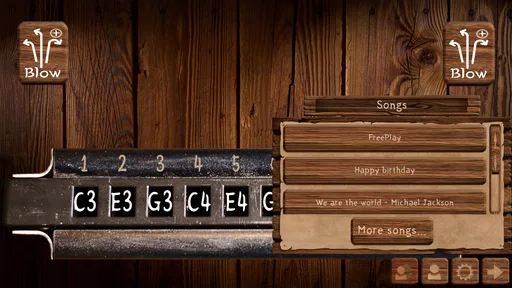
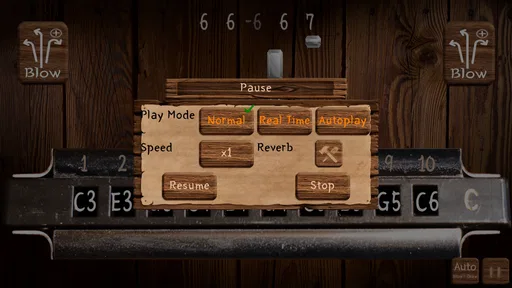
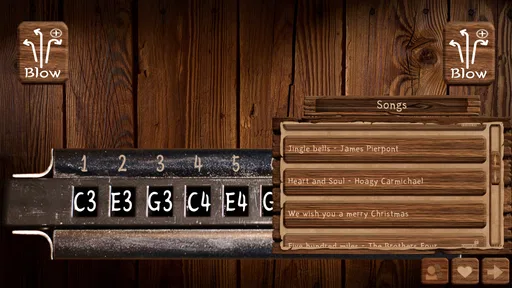
 Analysis by AppCompare
I like the idea of a harmonica you can reach for in a spare moment, without having to carry an instrument or set up a music app full of tracks and effects. Harmonica Real is a free music game from sonOS that puts playing a harmonica on your phone at the center of the experience. Its appeal is easy to understand: open it when you feel like trying a melody, exploring the instrument’s sound, or simply passing a few quiet minutes with music.
That focused purpose also sets expectations. A phone screen and speaker can make experimenting convenient, but they are not a substitute for the feel and breath control of a physical harmonica. I’d treat this as a casual way to interact with the instrument and see whether its sound interests you, rather than assuming that an on-screen version will teach every part of playing one.
A quick, low-commitment way to try it
The game is free, so it is straightforward to try without weighing a purchase against how often you might use it. It is rated for Everyone, which makes its subject approachable for a broad audience, including curious beginners and families looking for a music-themed activity. The developer is sonOS, and the current version is 2.0. Those details give a useful sense of the app’s identity without changing the central question: does playing a virtual harmonica suit the way you want to make music?
Its audience figures suggest that plenty of people have been willing to give it a look: it has over a hundred thousand installs and a 4.8 average from around 1,700 ratings, alongside 144 written reviews. I wouldn’t take popularity as proof that it will fit every player, but it does make the app feel less like an obscure experiment. The practical test is still personal: try it during a short break and notice whether interacting with the instrument feels enjoyable enough to return to.
What a screen changes about playing
A virtual harmonica removes the physical instrument from the equation. That can make it handy for a quick musical diversion when you are away from home, or when you want to explore the idea of playing without buying or carrying anything. It also changes the skill involved: tapping or interacting with a phone is not the same as shaping notes through breath, embouchure, and hand position. If your main goal is to learn those physical techniques, a real harmonica and instruction designed around it will be the more direct route.
For a more useful first session, I’d pick a simple phrase you already know rather than trying to improvise immediately. Familiar tunes make it easier to focus on whether the on-screen controls feel comfortable and whether the sound holds your interest. Keep the first attempt short, too. That gives you a fair sense of the basic interaction without mistaking a few awkward taps for a verdict on the instrument—or expecting a phone game to replicate the whole experience of playing live.
Where it fits among music apps
Compared with a music player, this is about making sounds yourself rather than choosing a finished recording. Compared with a general-purpose instrument or synthesizer app, its identity is narrower: the draw is the harmonica rather than a broad palette of instruments. That focus can be a strength if you specifically want a harmonica-themed experience, while a multi-instrument app may suit you better if you want to switch among keyboards, strings, and other sounds.
Worth Reading Before You Choose

Flipboard Shows What News Apps Must Do Beyond the Feed

Switching to Android Auto Means Rethinking Your Driving Routine

Google Calendar Makes a Crowded Week Easier to Manage

Ludo King Makes the Most of the Minutes Between Plans

Baby Panda World Brings Quick Play to Modern Phones, but Its Game Library Feels Busy

ESPN’s Live Game View Makes Following Close Games Easier
It is also worth separating playful exploration from structured learning. A lesson app can be a better choice when you want a planned course, feedback, or a clear sequence of exercises. A virtual instrument is more appealing when you want to experiment freely and see whether the sound sparks an idea. I’d use Harmonica Real for the latter kind of session, then turn to a physical instrument or dedicated teaching resource if that curiosity develops into a serious practice goal.
Fair expectations about spending and progress
Because the game is free, the initial decision is simple: you can try it without paying upfront. That is the one spending point I can state plainly. I would not build a budget around assumed extras or make a judgment about optional purchases without seeing a clear purchase offer in the app itself. If you are careful about spending, check any payment prompt before confirming it and decide whether it matches what you actually want from a harmonica game.
Progress here is best judged by your own comfort and curiosity, not by expecting a full course or a formal measure of musical ability. Try returning to the same short tune after a break and see whether you can play it more smoothly on the screen. That small comparison can tell you whether the interaction is becoming familiar. It does not, by itself, show whether you are developing breath technique for a real harmonica, so keep those two kinds of progress separate.
Who I’d recommend it to
I’d suggest giving it a try if you are curious about harmonica sounds, want a lightweight music activity, or are looking for an easy way to see whether the instrument appeals to you. It may also suit someone who already plays and wants a casual, phone-based diversion, as long as they do not expect that experience to replace the response of their own instrument. A realistic use is opening it during a lunch break, choosing a tune you know, and spending a few minutes testing whether the virtual playing feels fun rather than demanding.
I’d skip it if what you really need is a reliable substitute for a physical harmonica, a guided learning plan, or a wider toolkit for composing and arranging music. Those are different jobs, and a dedicated instrument, structured lessons, or a fuller music-making app may serve them better. Before deciding, it helps to ask yourself one simple question: do I want a quick harmonica-themed activity, or do I want to build a serious playing routine? The answer points to the right tool.
Getting Started with Harmonica Real
So, first things first, downloading and installing Harmonica Real is a breeze. Available on both Android and iOS, you can find it easily on your respective app store. Once installed, you're greeted with a clean and straightforward interface that even a beginner can navigate without any hiccups. Trust me, you don't need to be a tech wizard to get started.
Features Worth Noting
What makes this app stand out is its attention to detail. Harmonica Real offers a variety of harmonica types, from diatonic to chromatic, so you’re not limited to just one style. It's like having a collection of harmonicas without the heavy lifting.
Another cool feature is the interactive tutorials. If you're like me and your harmonica skills are more "enthusiastic beginner" than "seasoned pro," these tutorials are a game-changer. They guide you through the basics and even some advanced techniques, all while keeping it fun and engaging.
User Experience
The app is designed with user experience in mind. The layout is intuitive, and the graphics are crisp and vibrant, making it visually appealing. The sound quality is top-notch, capturing the nuanced tones of a real harmonica. It’s like having a tiny concert in your pocket!
One thing I love is how responsive the app is. There's no lag between your input and the sound output, which is crucial when you’re trying to keep up with a fast-paced tune.
Customization and Personalization
If you're someone who loves to tinker and customize, Harmonica Real won't disappoint. You can tweak settings to suit your playing style, from adjusting the pitch to changing the key. It’s perfect for those who want to experiment and find their unique sound.
The app also allows you to record your sessions. This feature is great for tracking your progress or sharing your jams with friends. Plus, who doesn’t love to show off a little?
Community and Support
One of the standout features is the community support. The app connects you with other harmonica enthusiasts around the world. You can share tips, ask questions, and even collaborate on tunes. It’s like having a global harmonica club at your fingertips.
In case you run into any issues, the app provides excellent customer support. The developers are responsive and always open to feedback, which is a huge plus in my book.
Final Thoughts
Overall, Harmonica Real is a fantastic app for anyone interested in music, regardless of their skill level. It offers a comprehensive and enjoyable way to learn and play the harmonica without breaking the bank. Whether you’re a beginner looking to start a new hobby or a seasoned player wanting a portable practice tool, this app has something for everyone.
So, if you've ever felt the urge to play the blues or just want to impress your friends with a new talent, give Harmonica Real a try. It’s like carrying a piece of musical magic right in your pocket.
Pros
- Realistic sound quality enhances the experience.
- Wide range of harmonica types available.
- User-friendly interface with intuitive controls.
- Offline mode for practice without internet.
- Customizable settings to tailor your experience.
Cons
- Limited free features; in-app purchases necessary.
- Ads can be intrusive during use.
- Requires latest OS for optimal performance.
- No option for recording sessions.
- Initial setup can be slightly confusing.
FAQs for Harmonica Real
What is Harmonica Real and what are its main features?
Harmonica Real is a mobile application designed to provide an authentic harmonica playing experience on your smartphone. The app features a wide range of harmonica types, including diatonic and chromatic options. Users can access tutorials, practice songs, and adjust settings for realistic sound effects. It's a great tool for both beginners and seasoned players.
Is Harmonica Real suitable for beginners?
Yes, Harmonica Real is perfect for beginners. The app includes step-by-step tutorials and practice exercises to help users learn harmonica basics. It provides interactive lessons that make learning fun and accessible for newcomers. Additionally, the user-friendly interface ensures that beginners can navigate and use the app without any hassle.
Can I customize the sound and appearance of the harmonica in the app?
Absolutely! Harmonica Real allows users to customize both the sound and appearance of their virtual harmonica. You can choose from different harmonica types and sounds to match your preferences. Additionally, there are options to change the visual design, making the experience more personalized and enjoyable.
Does Harmonica Real require an internet connection to function?
While some features of Harmonica Real, such as downloading new songs and accessing certain tutorials, may require an internet connection, the app is largely functional offline. This means you can practice and play the harmonica even when you are not connected to the internet. However, ensure to download necessary content beforehand for uninterrupted use.
Are there any in-app purchases or subscription fees?
Harmonica Real offers in-app purchases for additional features such as premium tutorials, advanced harmonica types, and ad-free experience. While the basic version of the app is free, users who want an enhanced experience may opt for these purchases. There are also subscription options available for accessing exclusive content and updates.


